
In this article, we will guide you through the entire process of installing OpenVPN Connect, from the very first step to the final stage.
Download and Install the App
To get started with OpenVPN Connect, follow these steps:
1. Go to the Google Play Store on your Android device.
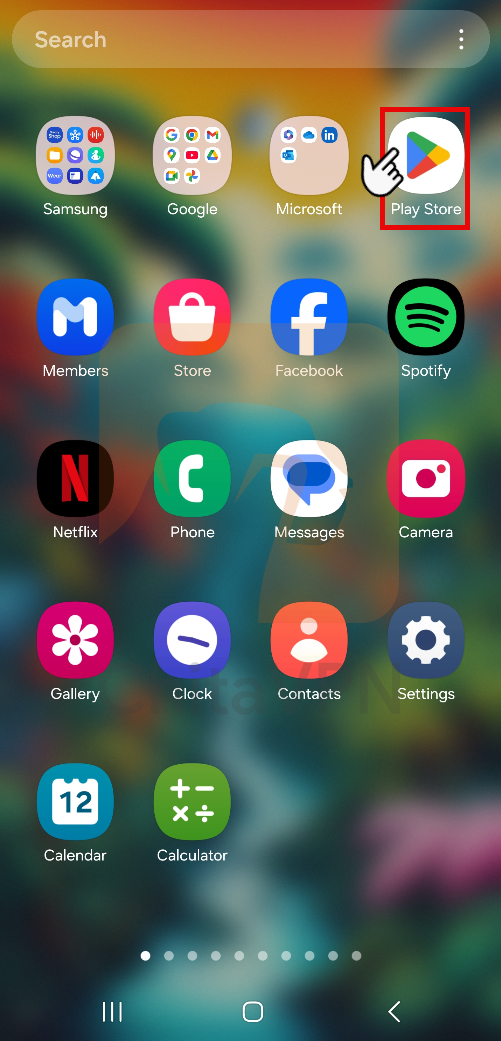
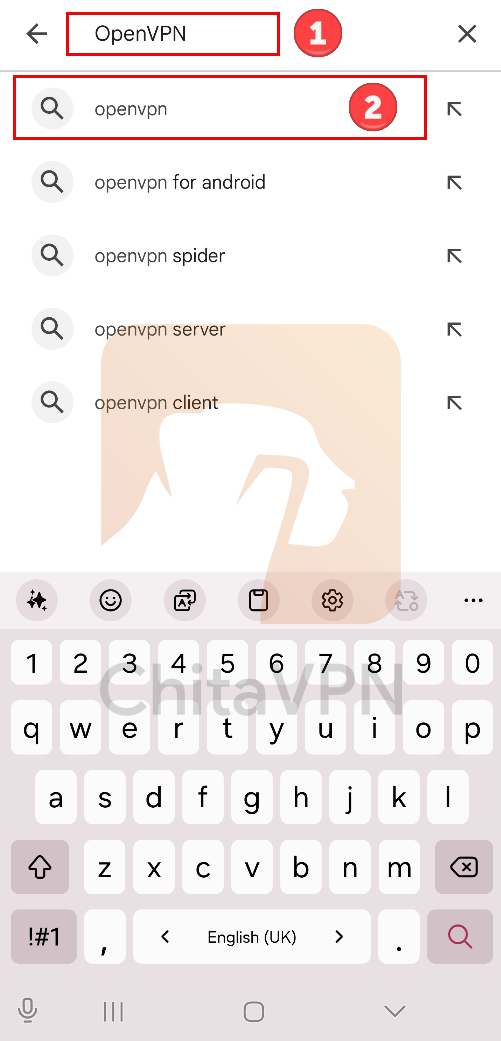
2. Use the search bar and Search for "OpenVPN Connect" and Click on the OpenVPN Connect name.
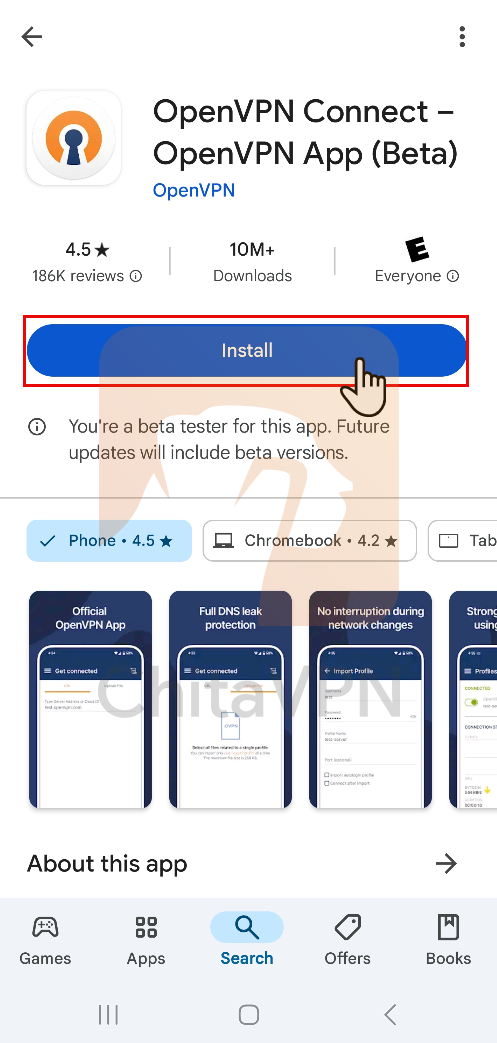
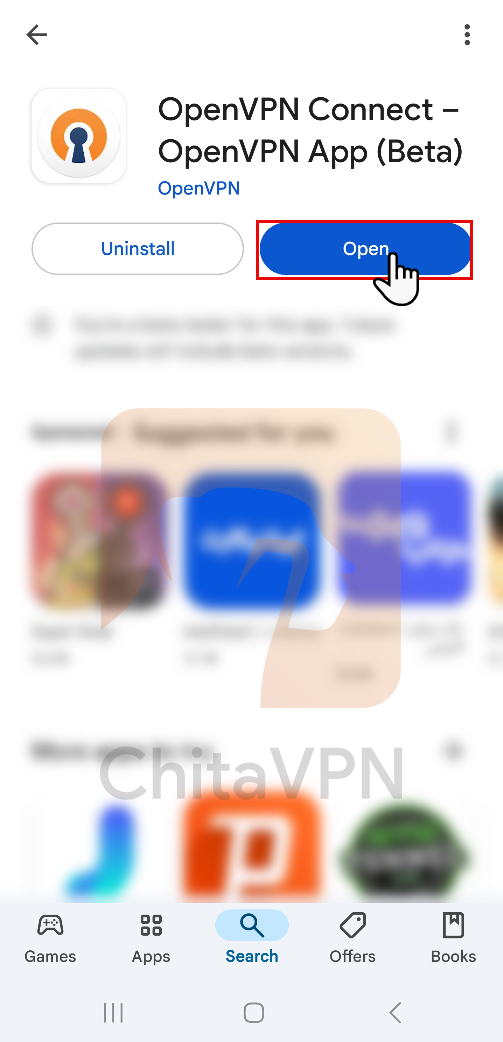
3. Click the "Install" button and wait for the app to install. Afterward, click the "Open" button to launch the app.
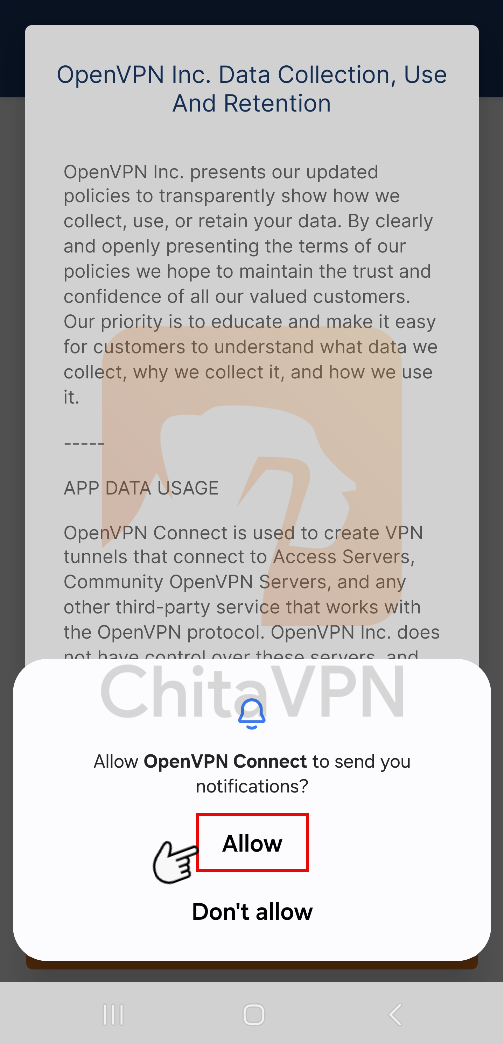
4. Tap "Allow" to receive these notifications, helping you stay informed about your VPN connection.
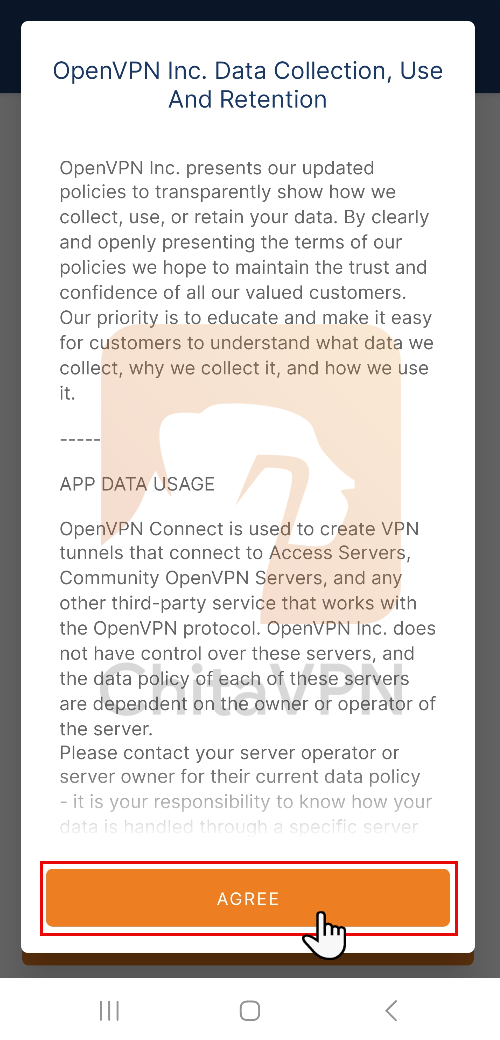
5. Tap the "Agree" button to proceed. This will allow you to start configuring and using OpenVPN on your device.
Add VPN Configuration file and Connect
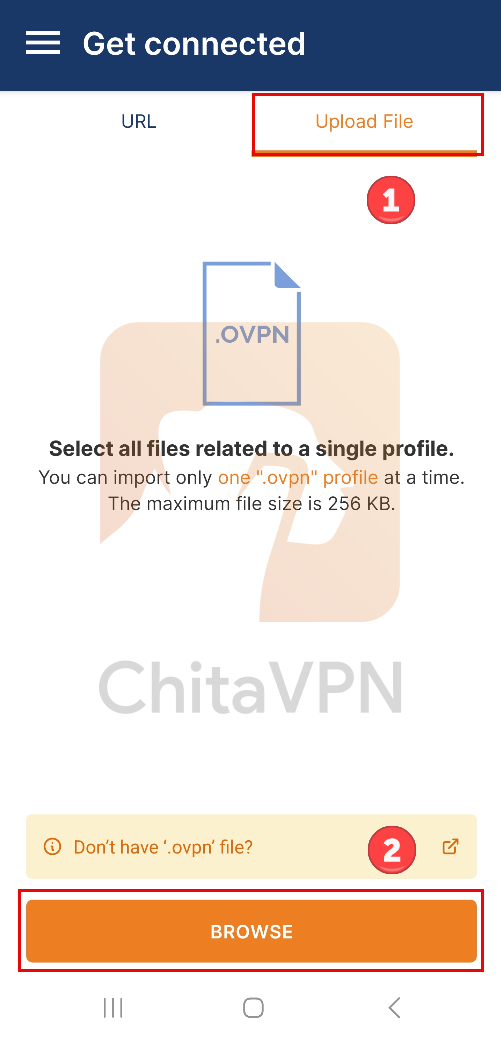
1. Select the "Upload File" option and then, click on the "Browse" button to find the specific config file you want to import.
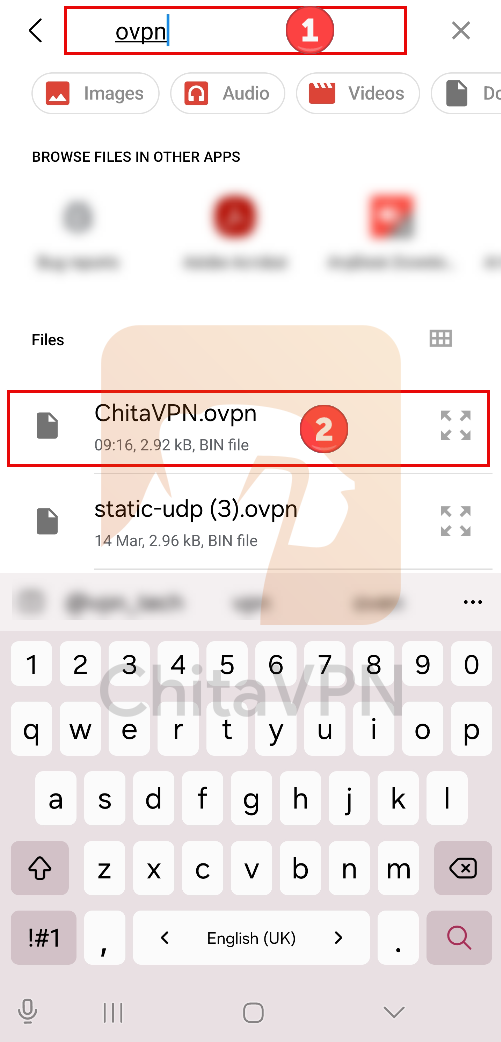
2. Search for the ovpn name on your Downloads folder and choose the configuration file and add it to the OpenVPN app.
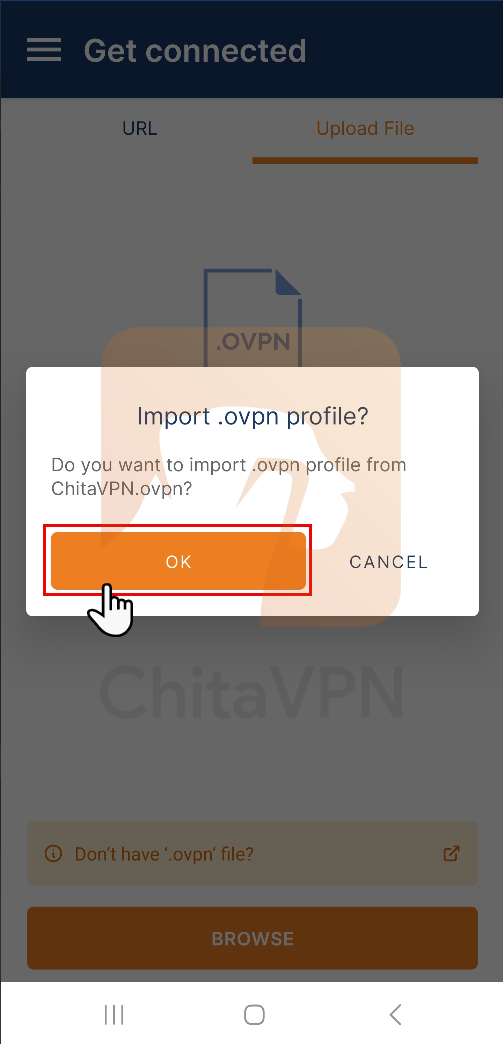
3. Click on the "ok" button to add the configuration file.
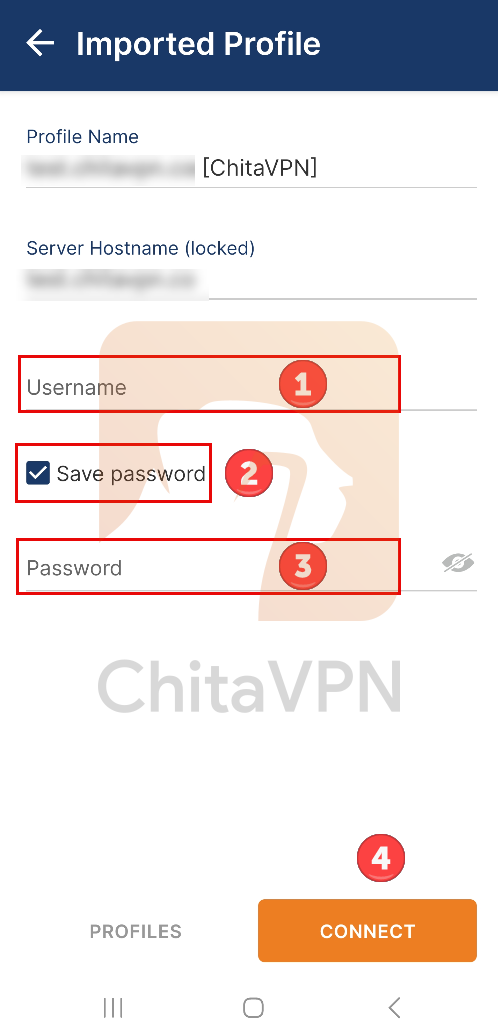
4. In this part Enter your Username, Password, choose the save password option and click on the Connect button.
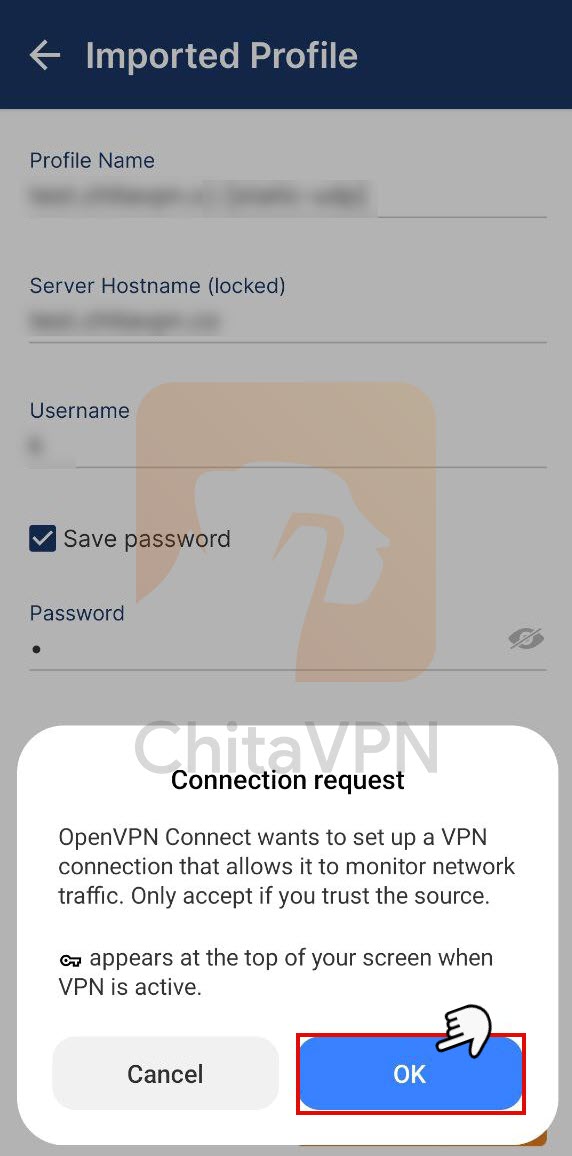
5. Click "OK" to accept the connection request. Without your permission, the OpenVPN app won't be able to make a VPN connection.
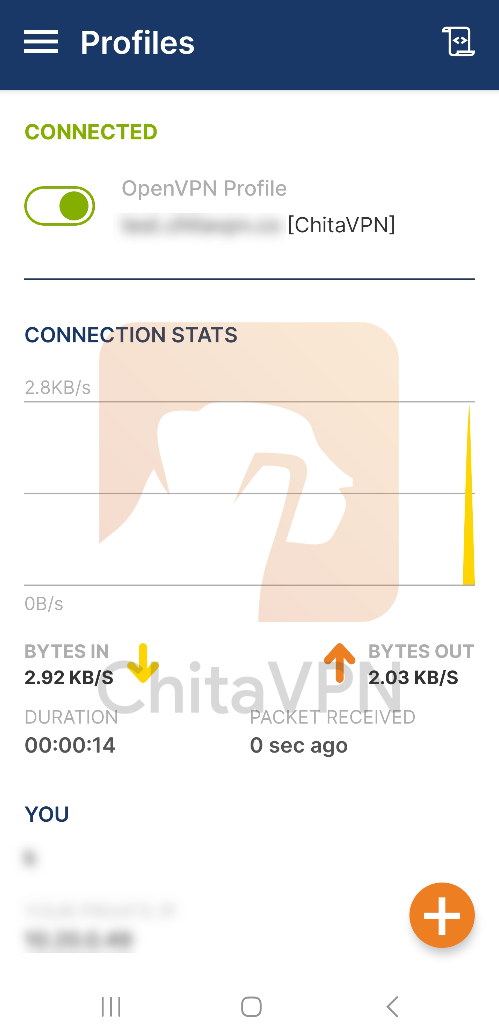
6. When you see this connection status on your screen, it means that you are connected to the ChitaVPN servers.
Enable Seamless Tunnel / Kill Switch
This guide will make your OpenVPN connection both faster and more secure.
1. Tap the menu icon (three lines) in the top-left and go to Settings.
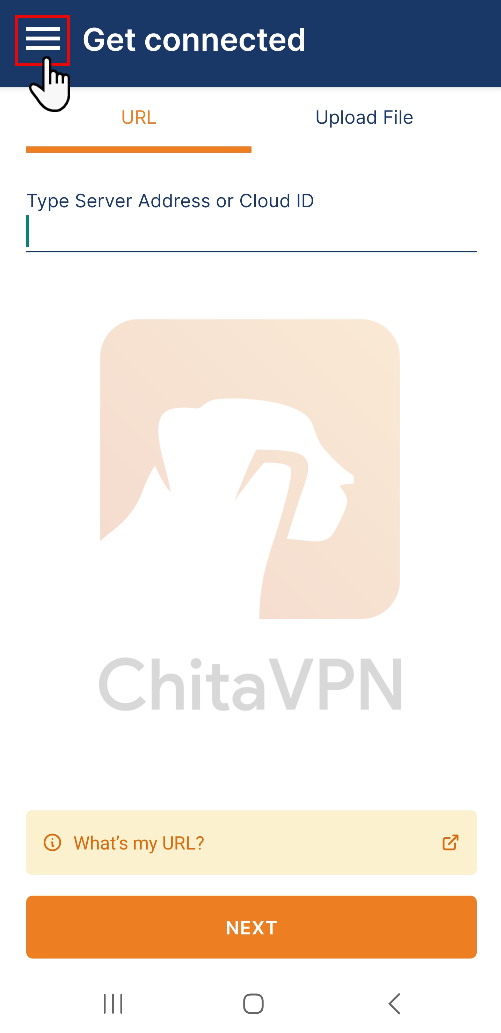
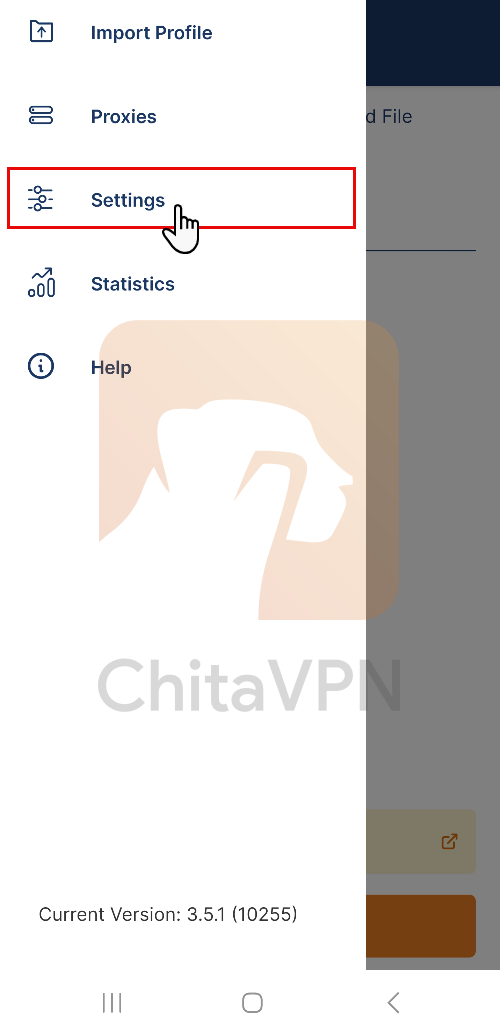
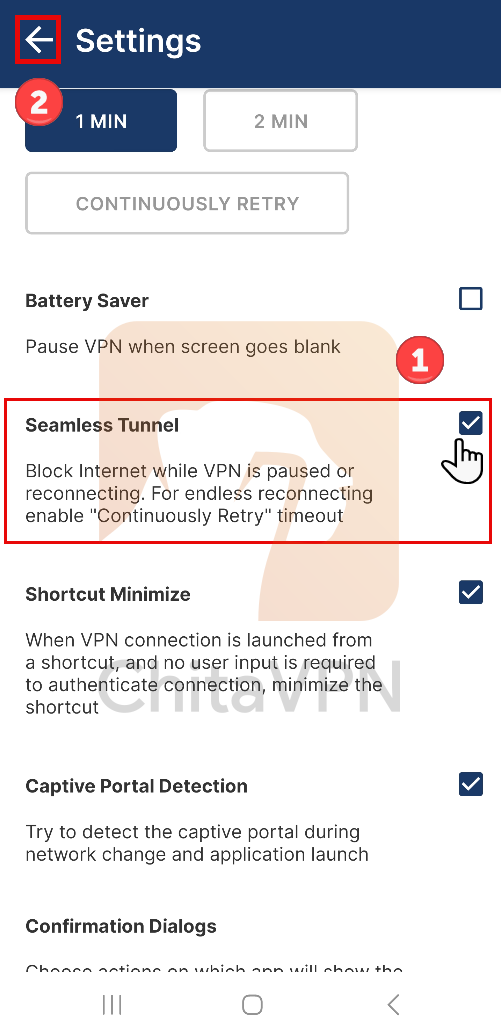
2. Enable the 'Seamless Tunnel' option to ensure your VPN connection stays active even when switching between networks, and Click on the "Back arrow" to return.
You're All Set!
Congratulations, you’ve successfully imported your configuration file and connected to your VPN using the OpenVPN Connect app! Now, you can enjoy a secure and private internet connection wherever you go.
Visit our website to learn more about our plans, and start securing your online presence with ease. Your privacy matter ? let us protect it!
