
In this guide, we will show you how to configure the IKEv2/IPSec protocol on your device, ensuring a secure and reliable VPN connection.
Add the IKEv2/IPSec Connection and Connect
To get started with IKEv2/IPSec on your iOS device, follow these steps:
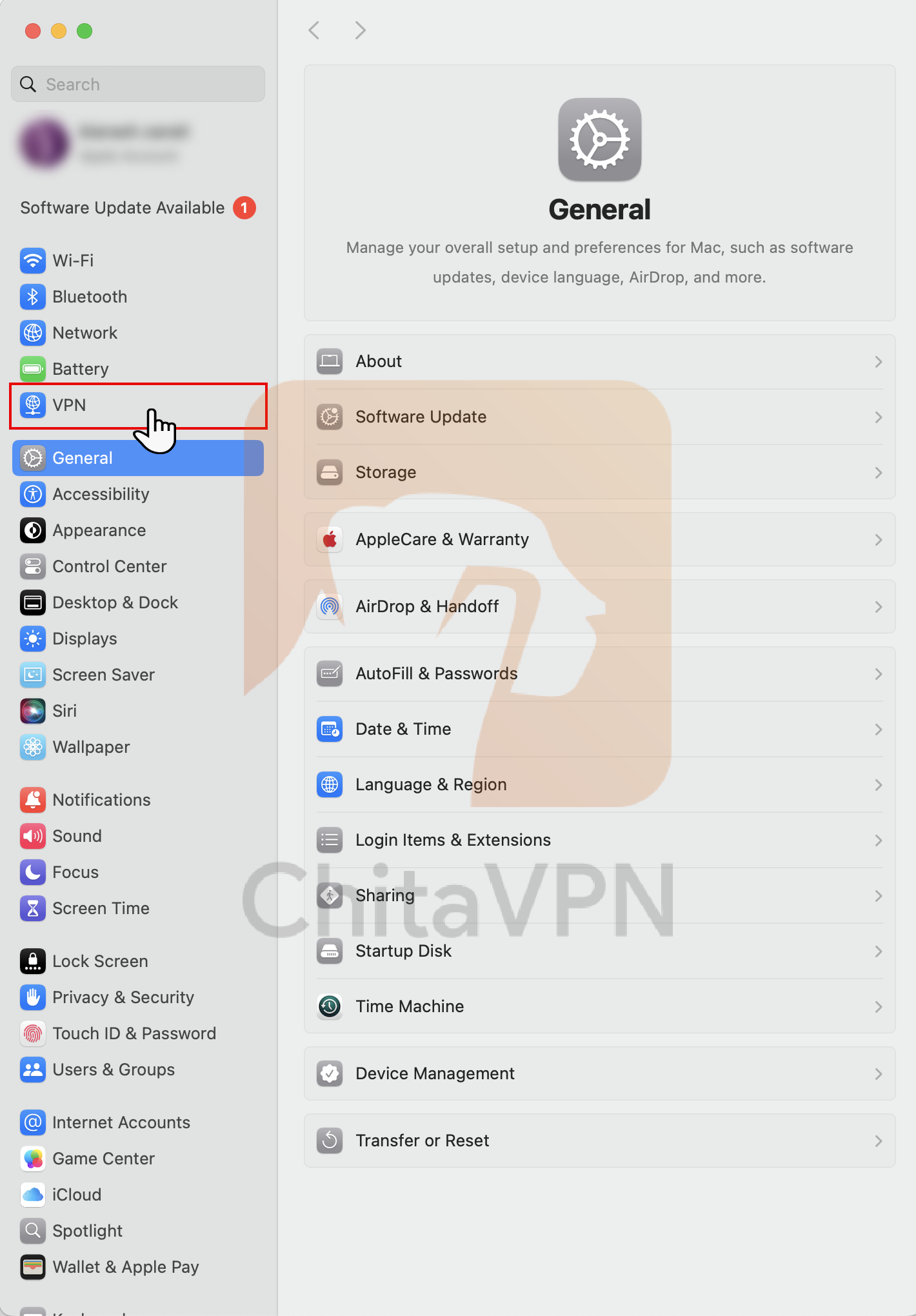
1. Open your "Settings" and select the "VPN" tab from the settings menu.
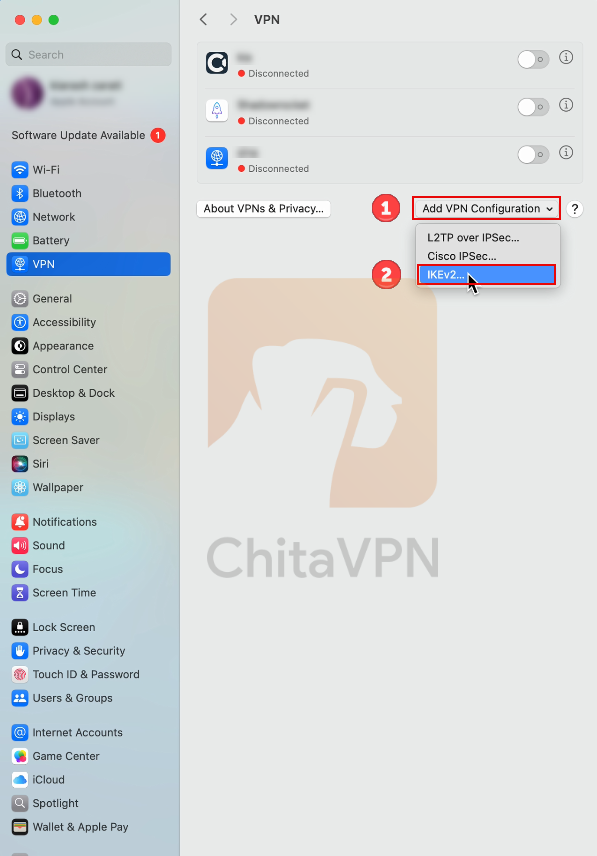
2. When you open the VPN tab, click on "Add VPN Configuration" and choose the "IKEv2" protocol.
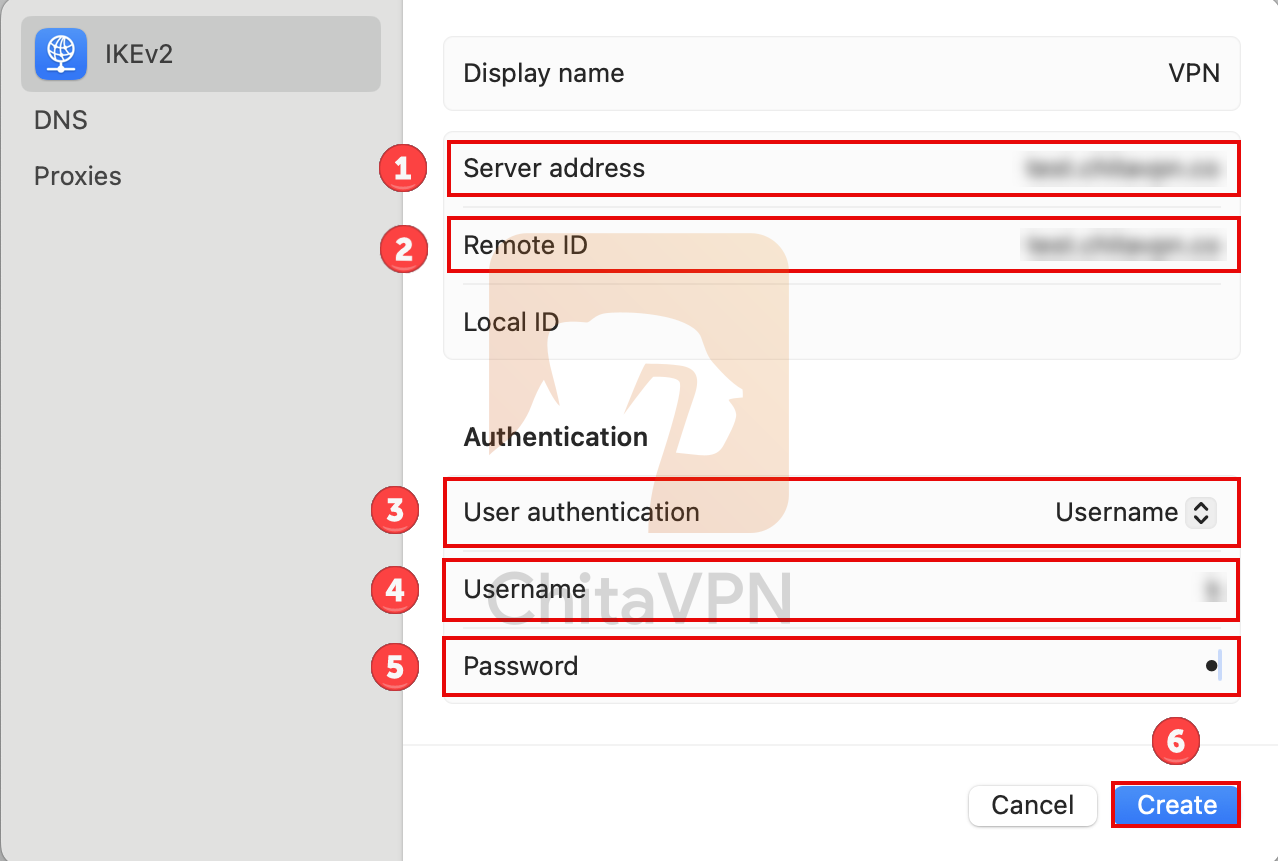
3. Input the ChitaVPN server address in the "Server address" and "Remote ID" fields. for Authentication part choose Username option. Next, enter your username and password. Finally, click the "create" button to save the configuration.
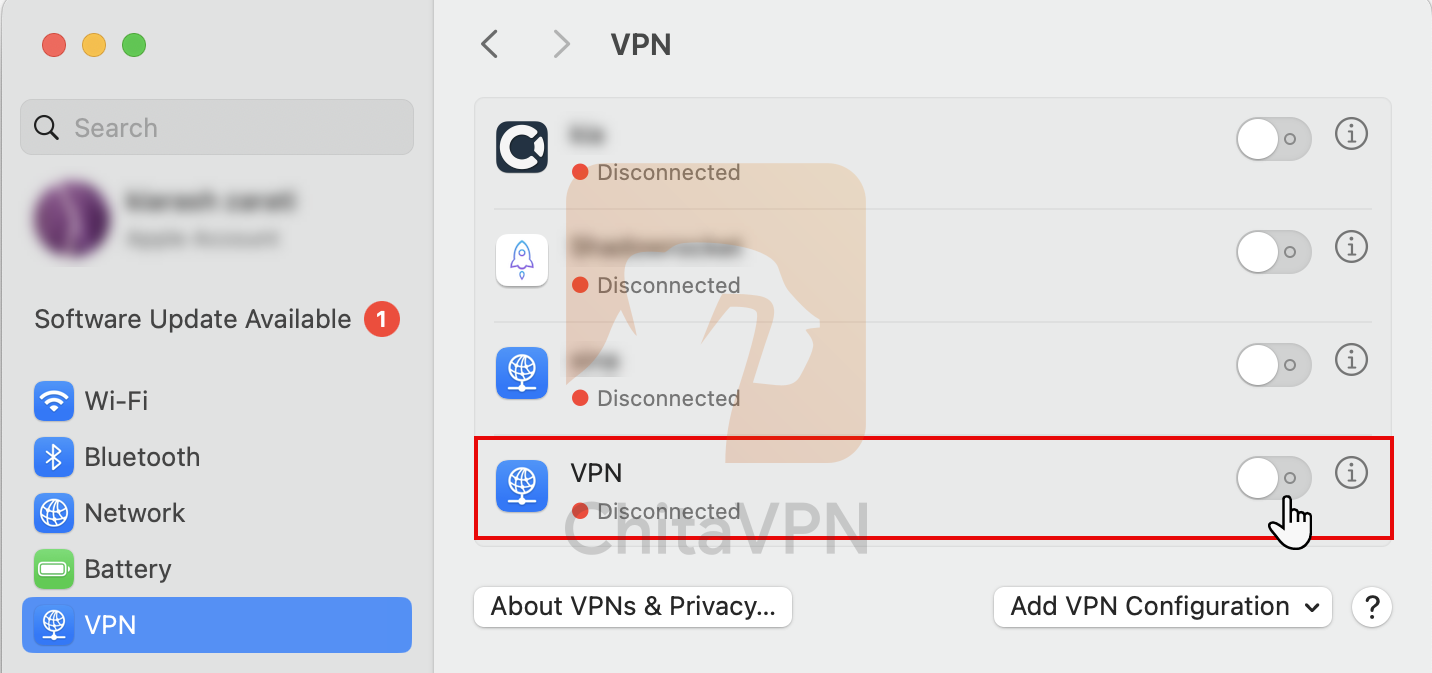
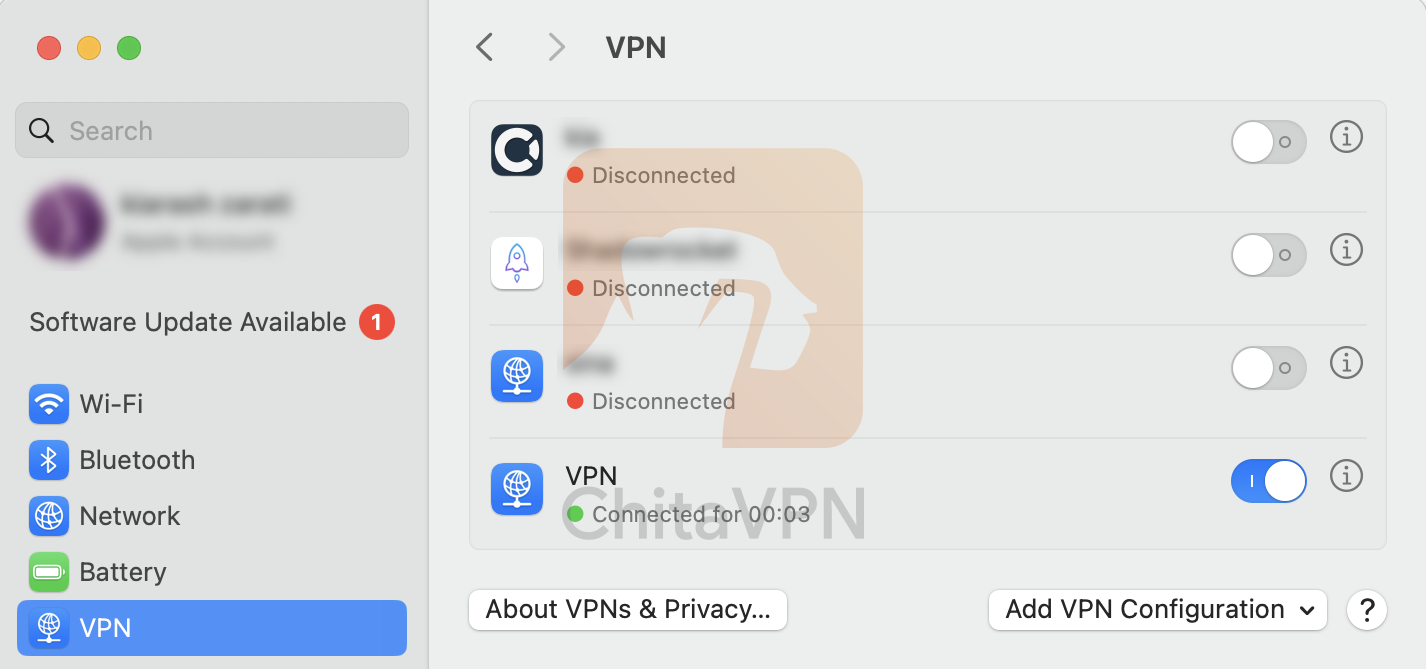
4. Click on the "VPN status" button and turn on the new connection you added.
5. When you see this connection status on your screen, it means that you are connected to the ChitaVPN servers.
You're All Set!
Congratulations, you’ve successfully added your configuration and connected to your VPN using the IKEv2/IPSec!
Visit our website to learn more about our plans, and start securing your online presence with ease. Your privacy matter ? let us protect it!
