
In this guide, you will learn how to set up and use Fair VPN with ChitaVPN on your Mac device for fast, secure, and private browsing.
Download and Install the App
To get started with Proxy protocol with Fair VPN on your Mac, follow these steps:
1. Click on the "App Store" and open it on your iOS device. Also, you can click here to go directly to the Fair VPN app page.

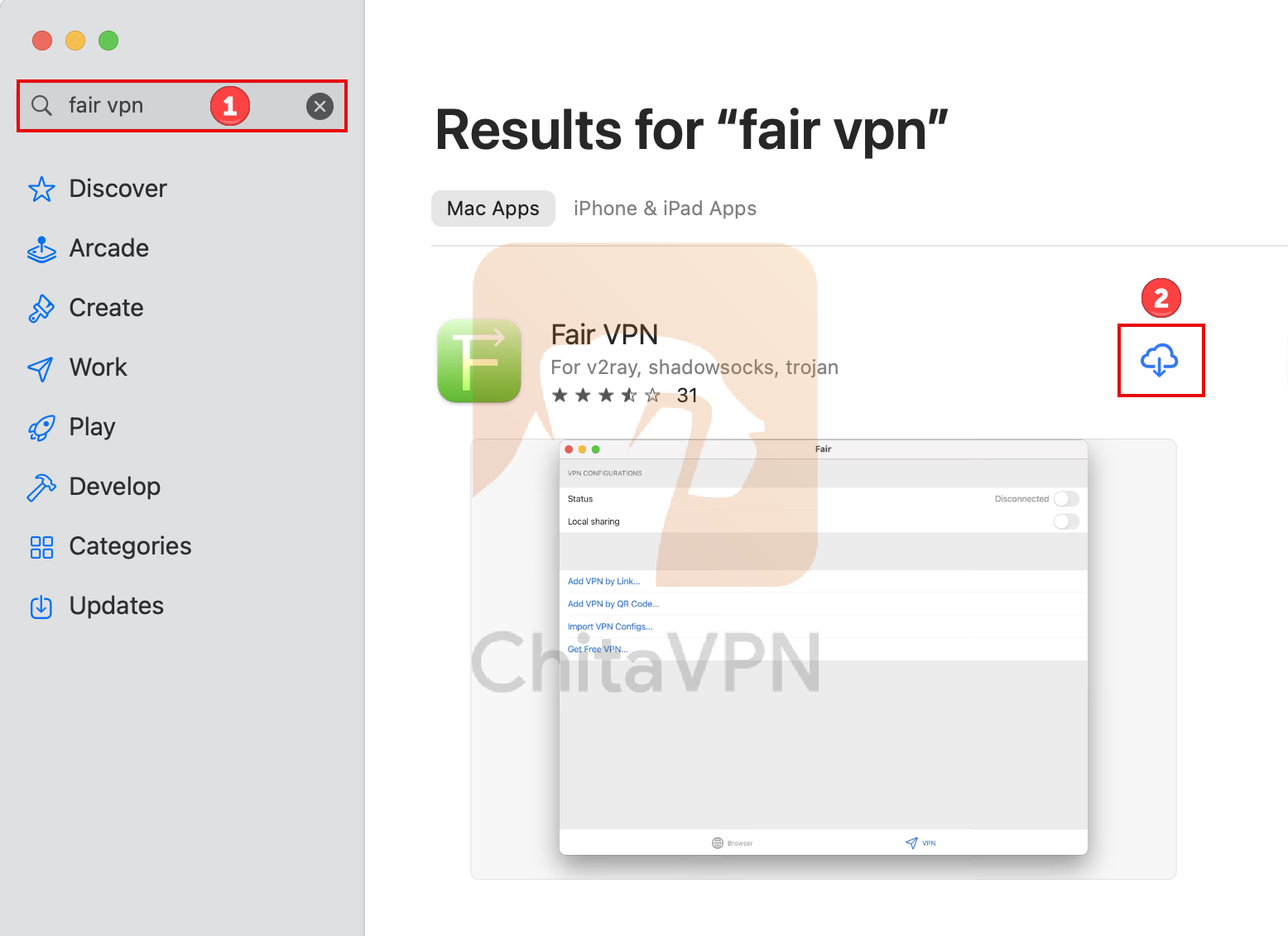
2. Click on the search tab, type "Fair VPN" in the search bar, and then click on the "Downlaod" icon, as shown in the picture below. When the installation is finished, click on "Open" to launch the app.
Add VPN Configuration and Connect
To connect to Fair VPN, you need a ChitaVPN subscription. Sign up now!
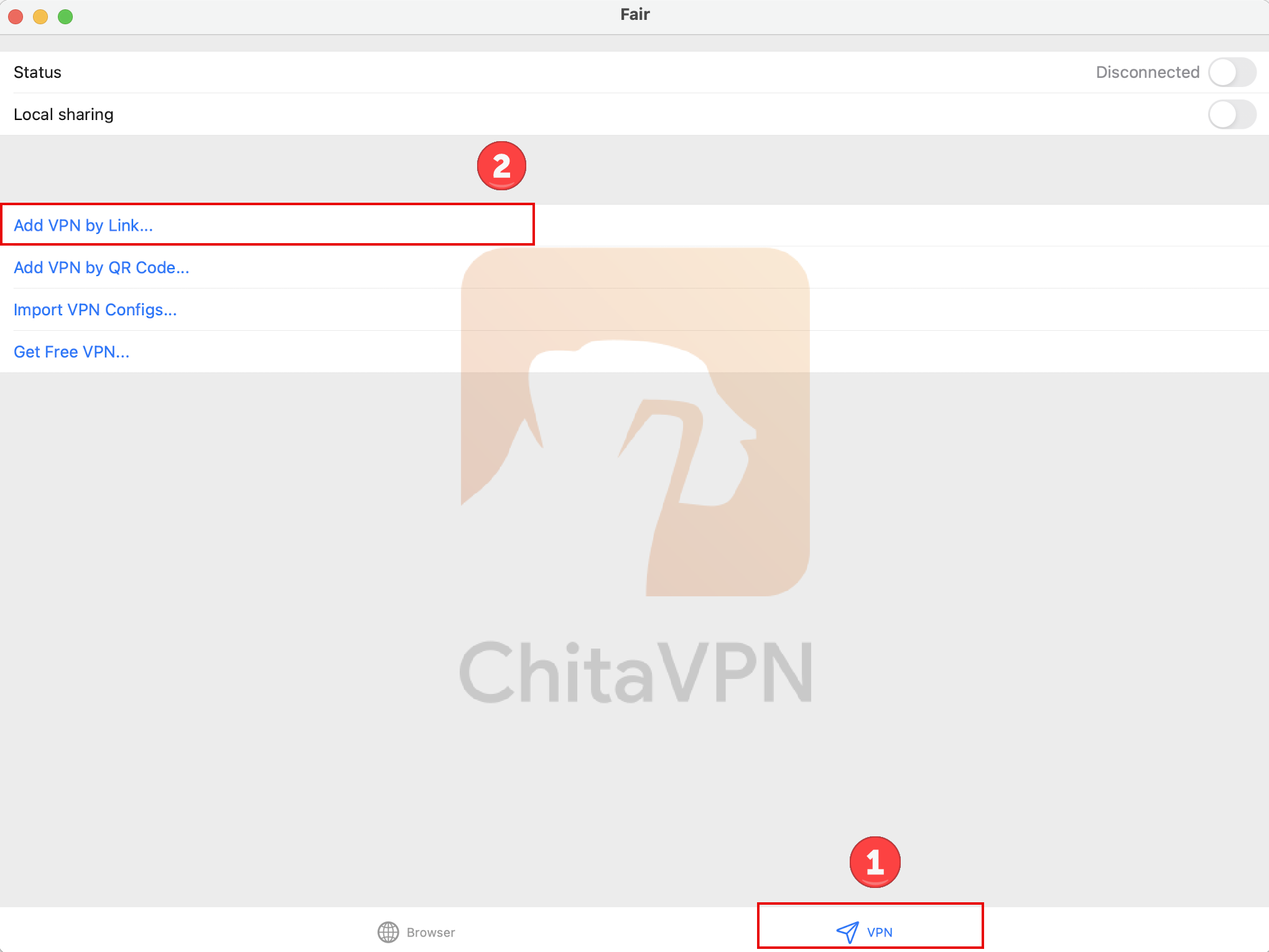
1. To add ChitaVPN config you need to click on the "VPN" icon in the bottom-right corner, then click on "Add VPN by Link," option.
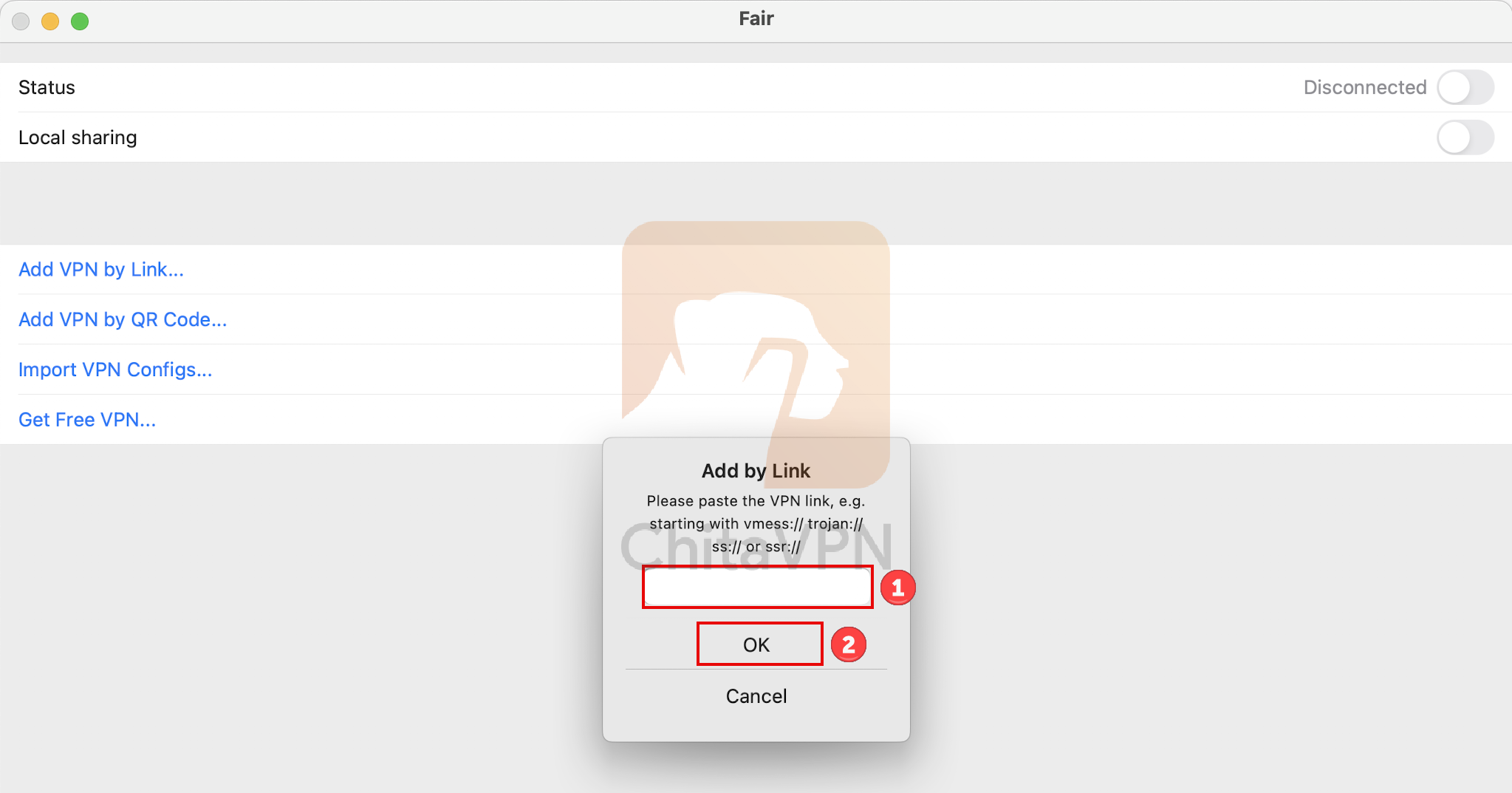
2. in this section, "paste the copied ChitaVPN config link," and then press the "OK" button.
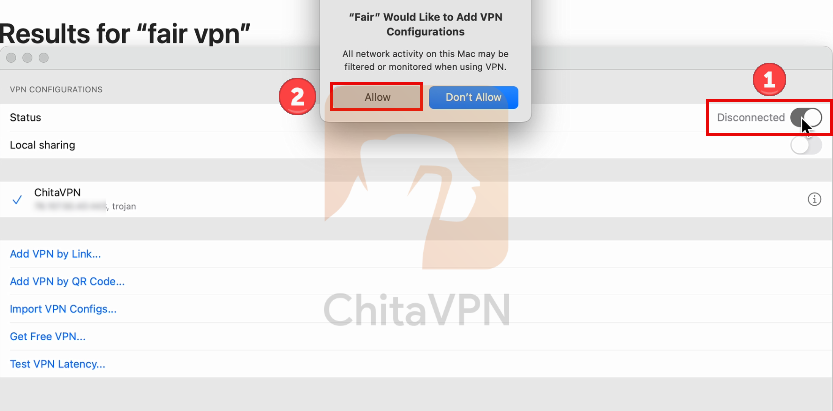
3. After adding the configuration, click on the "Status" button and then "Allow" the app to add VPN configuration.
4. When you see this screen, it means you are successfully "Connected" to the ChitaVPN servers.
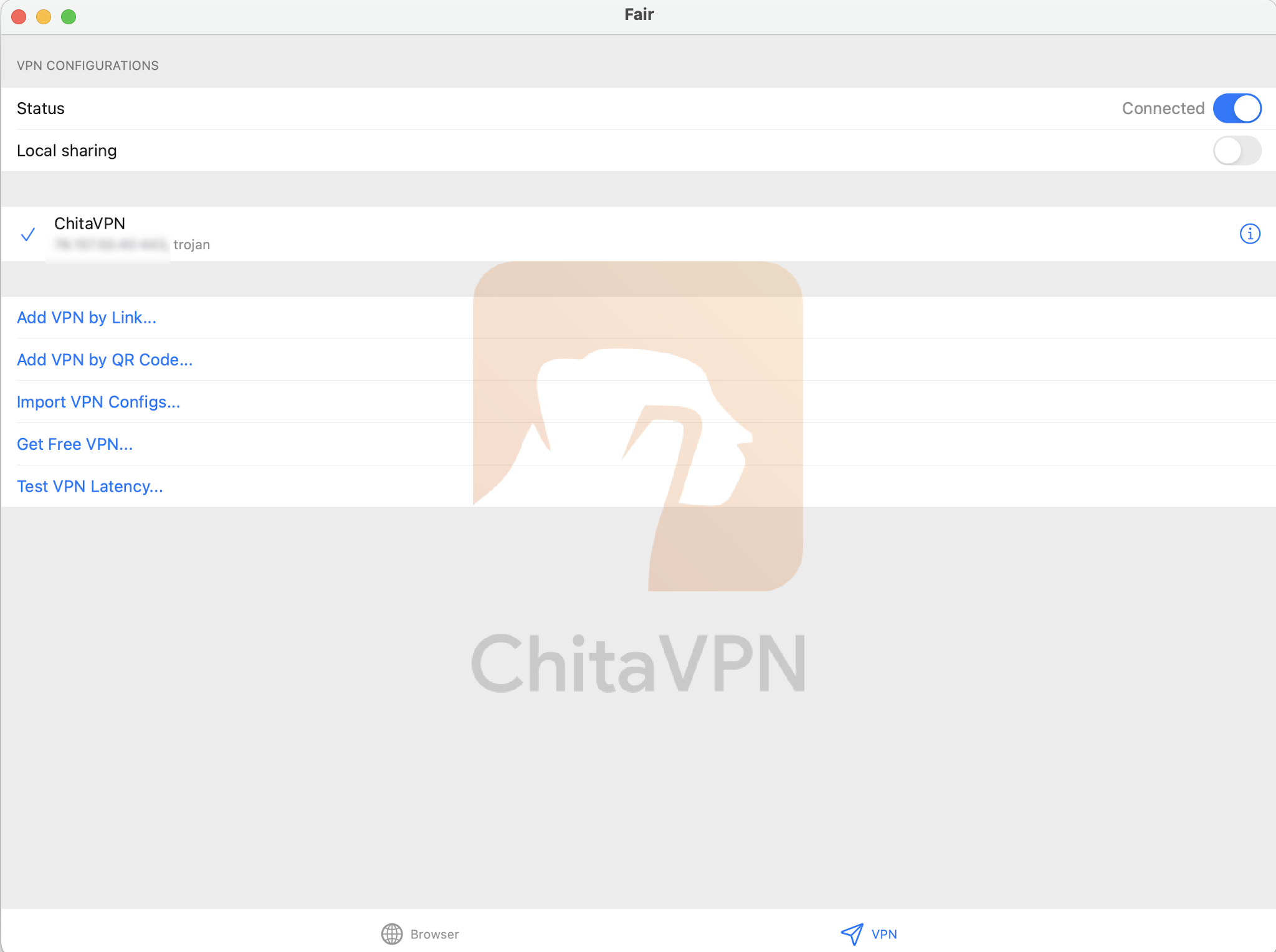
Congratulations!
You’ve successfully set up FairVPN and ChitaVPN on your device. Now, you can enjoy secure, private, and unrestricted internet access wherever you go. Stay safe online and browse freely with the peace of mind that comes with ChitaVPN and FairVPN.
